Better Simulink Models with Reactis
Generate comprehensive test suites directly from Simulink and Stateflow models. Achieve higher model coverage, detect runtime errors automatically, and produce repeatable evidence for verification and validation.
Automated Test Generation
Use guided simulation to automatically build test suites that exercise branches, conditions, states, and user-defined targets without hand-writing cases.
High Coverage (incl. MC/DC)
Compute and drive coverage metrics — Decision, Condition, MC/DC, branch, subsystem, and Stateflow-specific measures — to focus tests on uncovered logic.
Runtime Error Detection
Detect runtime failures such as divide-by-zero, array bounds violations, and uninitialized data during test generation.
Assertion-Based Validation
Instrument models with assertions or observer diagrams to check requirements, then generate tests targeted to violate those assertions where possible.
Regression-Ready Suites
Save and re-run generated test suites to validate model changes, enabling fast regression and traceable verification artifacts.
How It Works
Reactis combines model instrumentation, guided simulation, and coverage-driven test generation to produce high-quality test suites with minimal manual effort.
1. Instrument
Add assertions and user-defined targets to represent requirements and critical behaviors.
2. Generate
Run Tester to create tests targeted at uncovered coverage goals and assertion violations.
3. Execute
Run tests in Simulator against the model (and in Reactis for C against the implementation).
4. Report
Export detailed coverage and test execution reports for review and traceability.
Quick Example
Testing a cruise control model: In 5 steps, we'll load a model, set input ranges, add an assertion, generate tests, and detect a requirement violation.
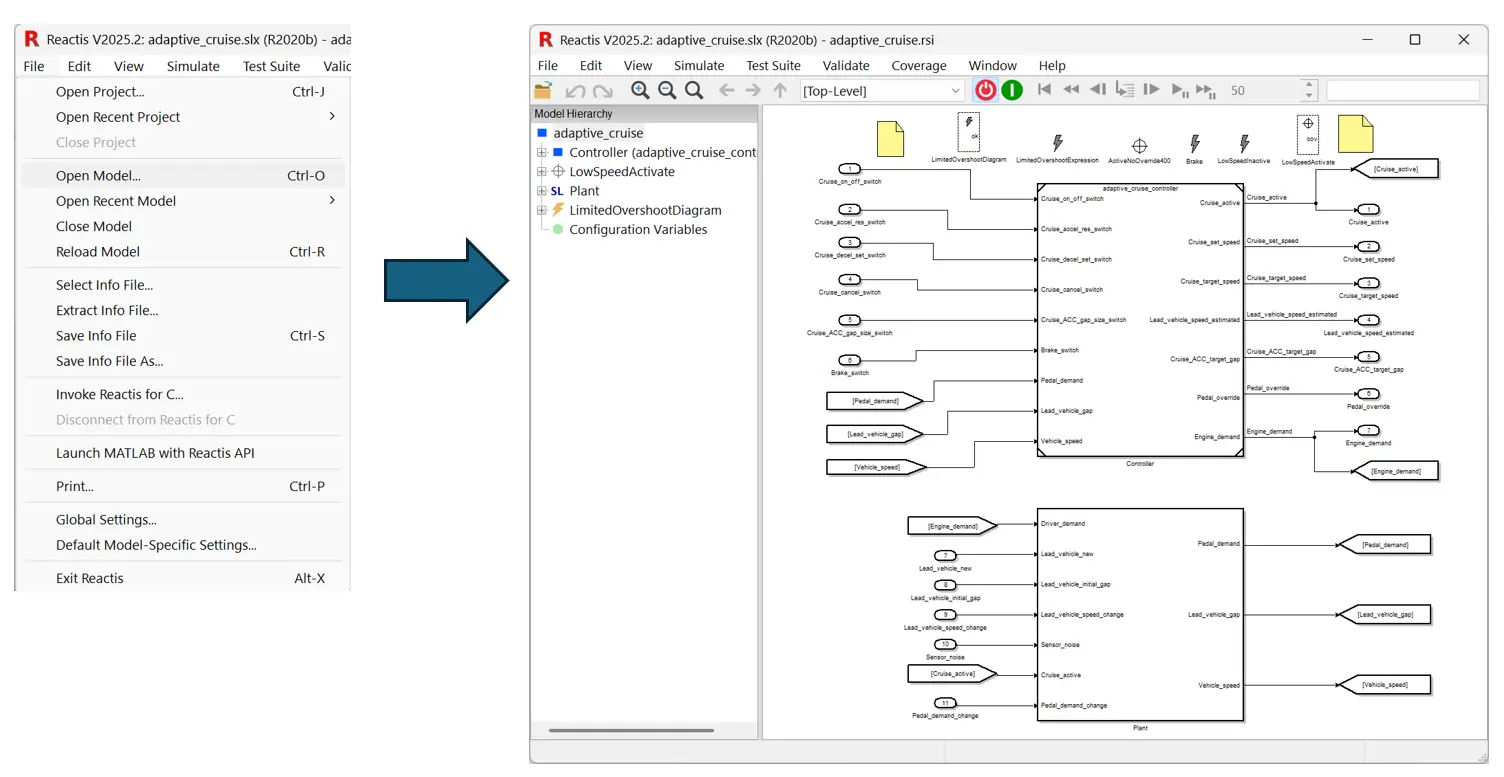
1. Load Your Model
Select File > Open Model, then choose your .slx file to load it in Reactis.
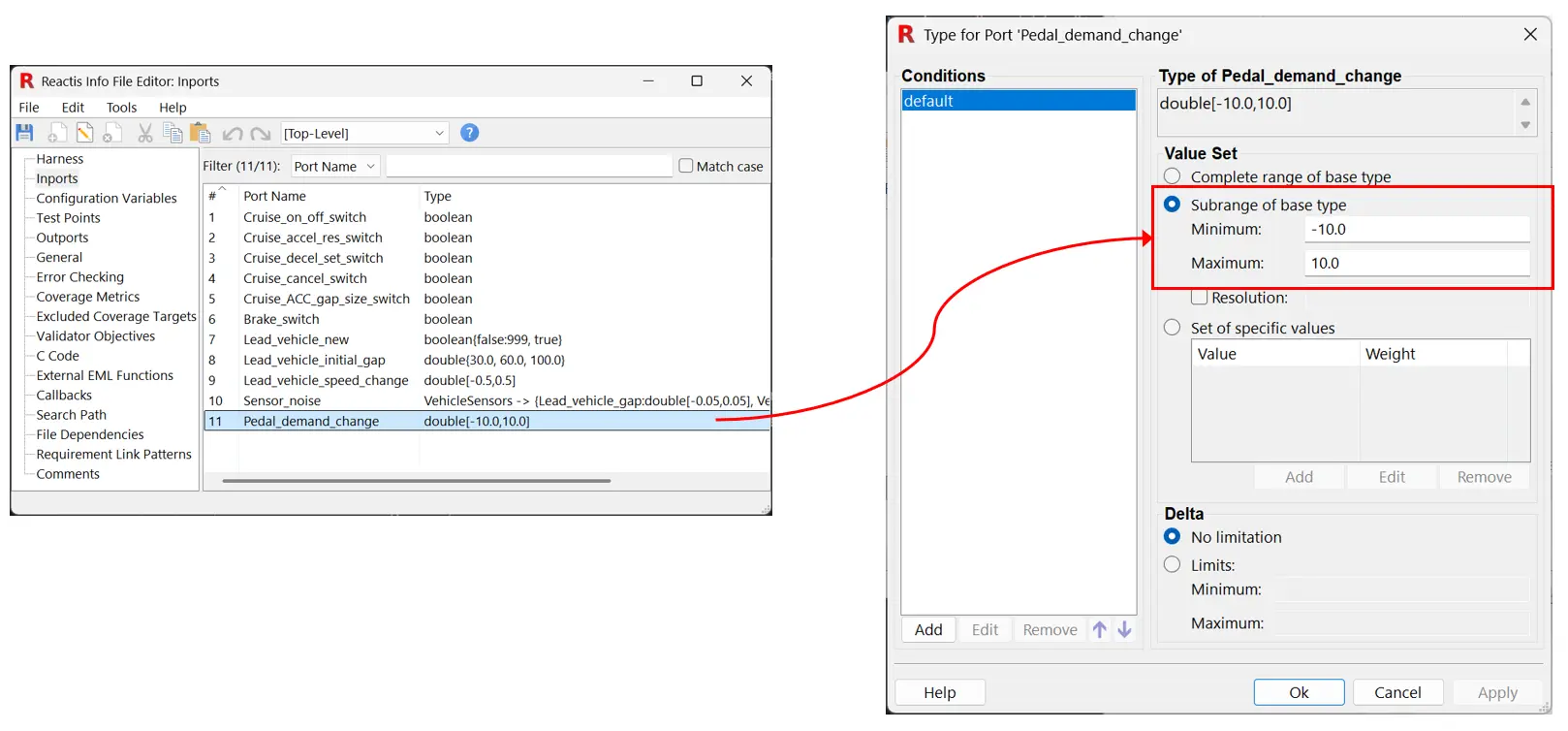
2. Set Input Ranges
Select Edit > Inports... and set ranges for each input. Reactis will explore values within those ranges during test generation.
💡 Tip: Reactis automatically imports ranges from your model or data directory if they exist.
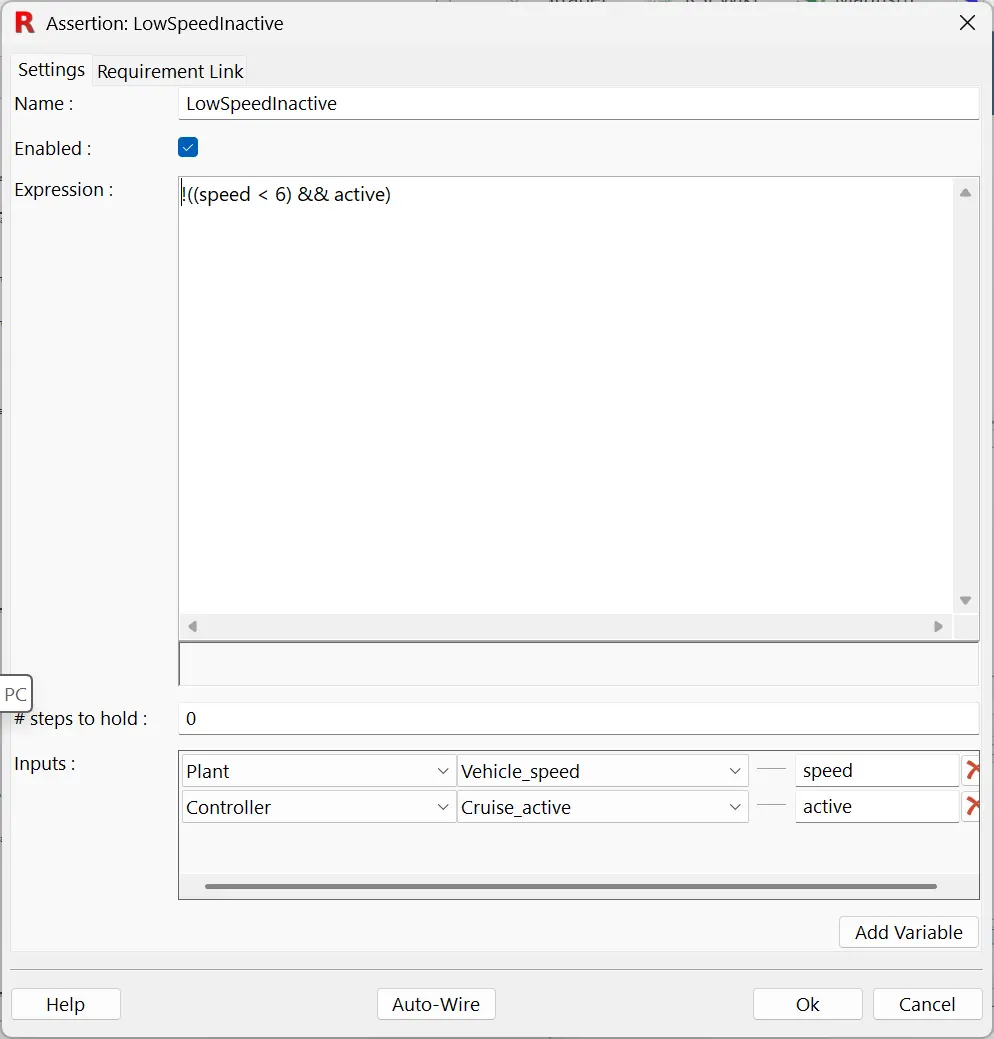
3. Add an Assertion
Right-click in the main panel and select Add Assertion > Expression. Add a requirement, e.g., "cruise control should not activate if speed < 6 m/s".
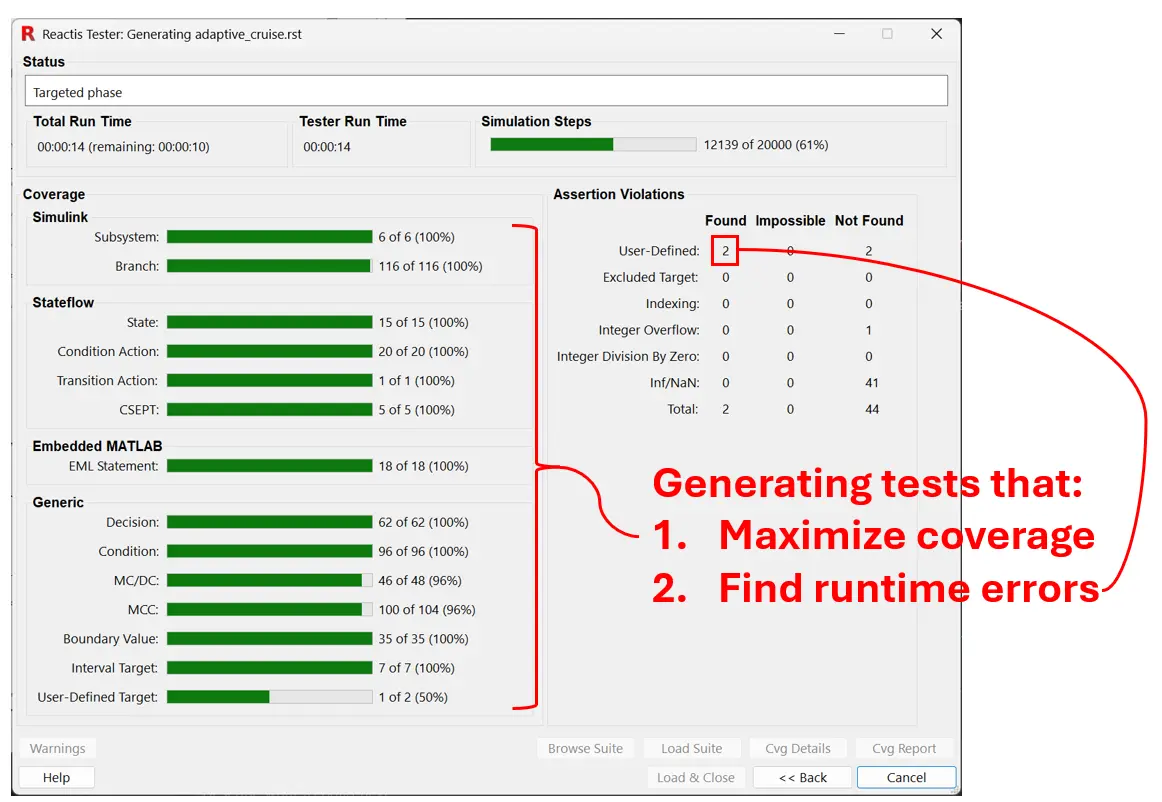
4. Generate Tests
Select Test Suite > Create... to run Tester. Reactis will explore the model and generate tests targeting the assertion.
5. Execute Tests & Detect Violations
Click Load & Close, then run the tests with Simulate > Fast Run. Reactis will highlight any assertion violations (shown in red) — indicating a potential bug.
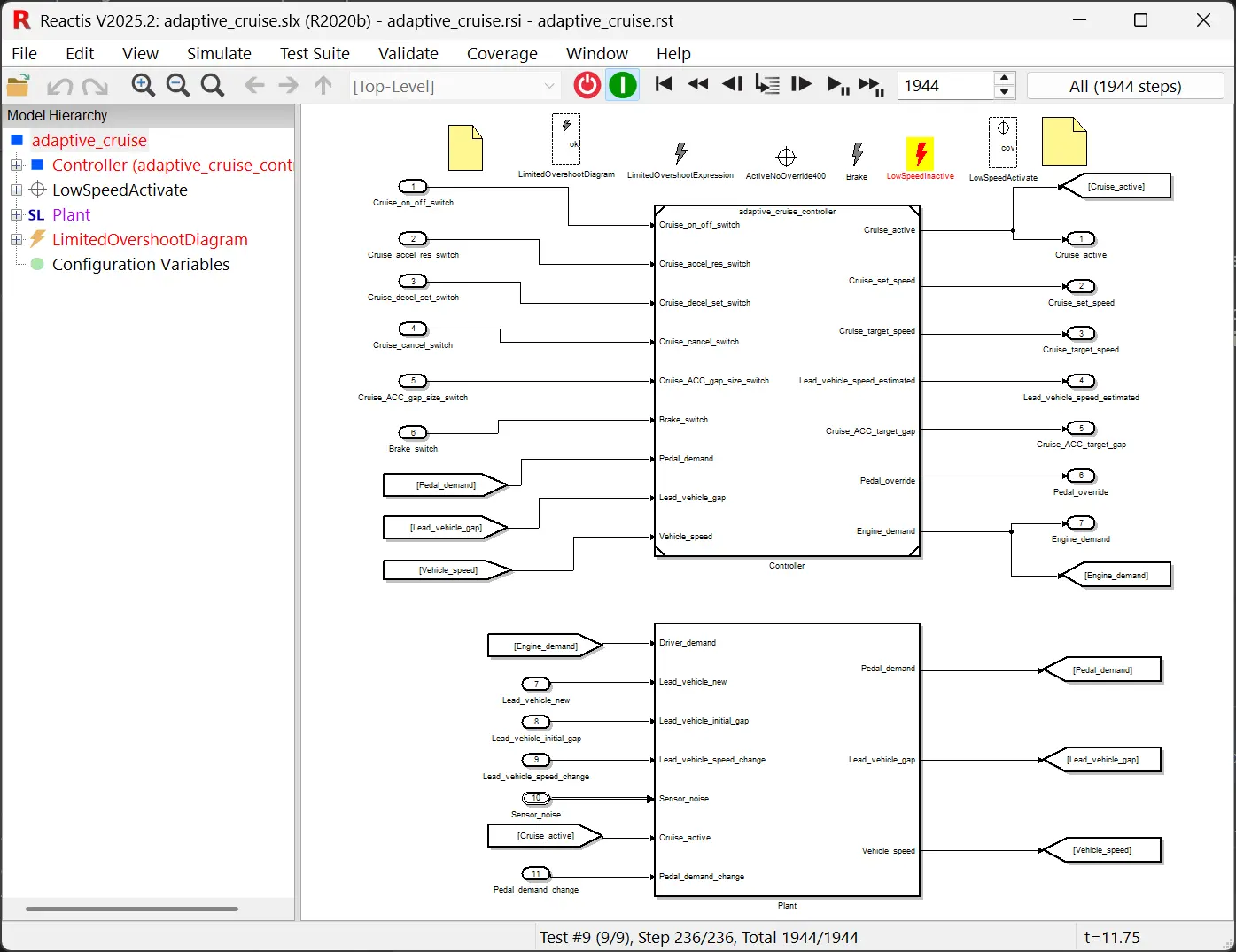
💡 Debug: Right-click the assertion → Run to Violation to step through to the error. Hover over signals to inspect values and trace the root cause.
Generate a Coverage Report: Select Simulate > Fast Run with Report to create an HTML report showing coverage metrics and test results.
Ready to try? Request a demo or download a trial to see how Reactis generates tests from your Simulink models.
Schedule Demo → Download Trial →
See Reactis for Simulink for detailed usage and examples.